网站数据备份
2019-08-05-网站数据备份
将网站数据备份至GitHub
CSDN
参考文章
使用hexo,如果换了电脑怎么更新博客?
具体操作:
情况1, 新建博客
创建仓库: http://username.github.io
创建两个分支:
master与hexo设置 hexo 为默认分支(只需要手动管理这个分支上的Hexo网站文件)
使用
1
git clone git@github.com:username/username.github.io.git # 拷贝仓库在本地 http://username.github.io文件夹下通过Git bash依次执行
1
2
3
4
npm install hexo -g
hexo init
npm install
npm install hexo-deployer-git # 此时当前分支应显示为hexo修改
_config.yml中的deploy参数, 分支应为master;依次执行
1
2
3
git add .
git commit -m "XXXX"
git push origin hexo # 提交网站相关的文件执行
hexo g -d生成网站并部署到 GitHub 上
情况2, 已经有部分博文部署到git但没有备份分支
创建 hexo 分支, 并设置为默认分支
git clone git@github.com:username/username.github.io.git到本地, 删除除了 .git 以外的文件;复制原有的博客源文件, 注意除了
.deploy_git, 并创建.gitignore1
2
3
4
5
6
7.DS_Store
Thumbs.db
db.json
*.log
node_modules/
public/
.deploy*/然后执行
1
2
3
git add .
git commit -m "add hexo branch"
git push
注意:
If you’re using
GitHub Freeand change a repository’s visibility from public to private, you’ll lose access to features like protected branches and GitHub Pages.
Any published GitHub Pages site will be automatically unpublished. If you added a custom domain to the GitHub Pages site, you should remove or update your DNS records before making the repository private, to avoid the risk of a domain takeover. For more information, see “Adding or removing a custom domain for your GitHub Pages site.”
设置域名
CDN加速Github Pages
又拍云的CDN
-
-
又拍云联盟用户每月独享优惠加入又拍云联盟,按步骤完成申请,即可获得10GB免费存储空间+15GB免费CDN流量
-
配置CDN服务
- upyun配置
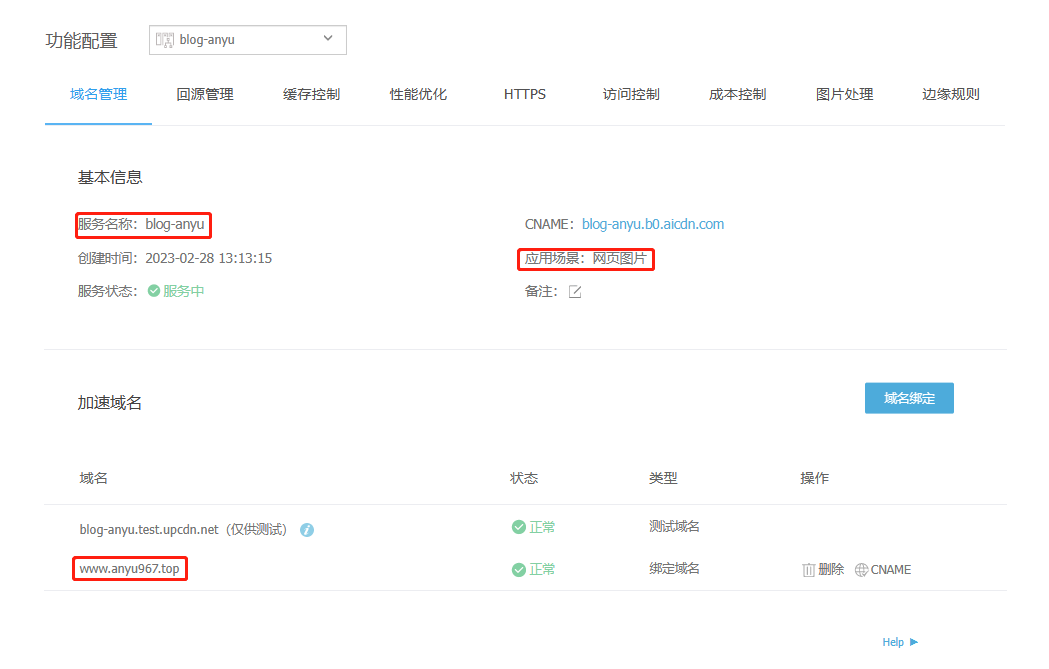
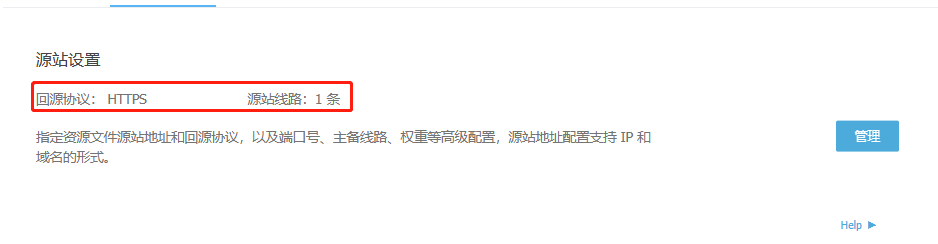
- 智能压缩 开启 Gzip 和 Brotli
- HTTP 302 调度
- HTTPS 配置
- TLS 1.3
- WebP 自适应
腾讯云域名配置
- 增加又拍云提供的CDN域名
- 国外增加GitHub分配的域名
- 参考文档
Github Pages配置
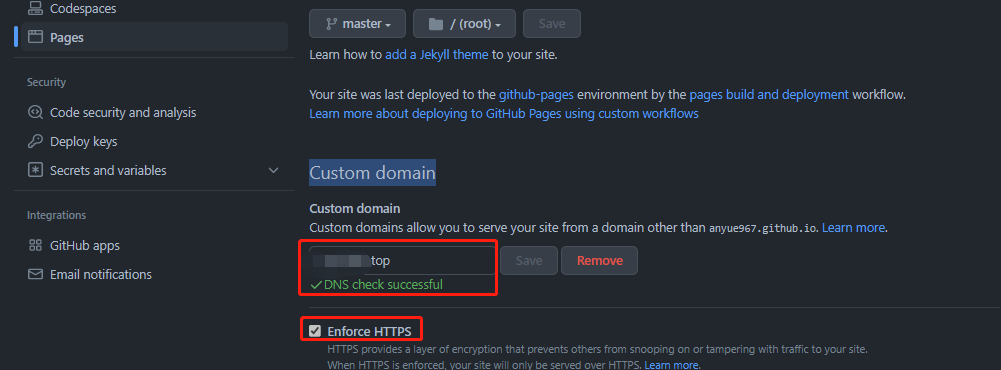
- source目录下增加CNAME文件写上域名
- Github Pages的settings下Custom domain配置域名,开启htpps